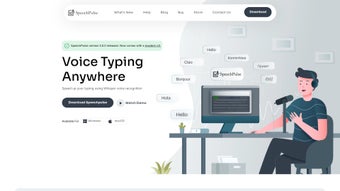

Download SpeechPulse – Fast, Offline Voice Recognition for Windows & Mac
Overview: Why SpeechPulse Is Changing the Way We Type
In a world where time is the most valuable commodity, SpeechPulse offers a practical shortcut that feels almost magical: real‑time voice‑to‑text conversion without an internet connection. Powered by OpenAI’s Whisper models, the application can listen to your microphone, understand natural speech, and instantly paste perfectly‑formatted text into any active window—be it a word processor, a web form, or a code editor. The offline design means that sensitive data never leaves your computer, providing an extra layer of security that cloud‑based dictation services simply cannot match.
Whether you’re a busy professional drafting reports, a student taking rapid lecture notes, or a multilingual content creator who needs on‑the‑fly translation, SpeechPulse delivers a blend of speed, accuracy, and versatility that is rare among free voice‑recognition tools. Its ability to handle noisy environments—thanks to Whisper’s advanced noise‑cancellation algorithms—makes it reliable for home offices, coffee shops, or even bustling co‑working spaces. Moreover, SpeechPulse isn’t limited to live dictation; it can ingest audio files in formats like MP3 and WAV, generate subtitles with precise timestamps, and translate non‑English speech into clear English text, opening doors for podcasters and video editors alike.
In short, SpeechPulse is more than a typing shortcut; it’s a productivity engine that adapts to the varied demands of modern digital work.
Core Features That Set SpeechPulse Apart
- Offline Whisper Engine: Leverages OpenAI’s state‑of‑the‑art Whisper models locally, ensuring privacy and eliminating latency caused by internet round‑trips.
- Real‑Time Transcription: Converts spoken words to text instantly, with punctuation and paragraph breaks intelligently inserted.
- Multilingual Support: Recognizes over 30 languages, including English, Spanish, Japanese, French, and German, with the ability to translate any supported language into English on the fly.
- Audio File Processing: Imports MP3, WAV, OGG, and FLAC files, then produces accurate transcripts and optional subtitle files (SRT) with timestamps.
- Noise‑Robust Recognition: Advanced filtering lets the engine stay accurate in cafés, open‑plan offices, or while using a headset with background chatter.
- Application‑Wide Compatibility: Works seamlessly with any program that accepts keyboard input—text editors, browsers, IDEs, email clients, and chat apps.
- Custom Vocabulary: Users can add domain‑specific terms (e.g., technical jargon, product names) to improve recognition accuracy over time.
- Lightweight Installation: The installer occupies less than 300 MB and runs without the need for heavy dependencies or runtime environments.
- Subtitle Generation: Generates SRT files with millisecond‑accurate timestamps, ideal for video creators who need quick captioning.
- Secure Updates: Automatic, signed updates keep the Whisper model current without compromising the offline nature of the app.
Step‑by‑Step Installation and Practical Usage Guide
Getting SpeechPulse up and running is deliberately straightforward, allowing users of any technical skill to start dictating within minutes. Follow these steps for a smooth setup on Windows 10/11 or Apple Silicon Macs:
- Download the Installer: Visit the official SpeechPulse website and click the “Download for Windows” or “Download for macOS (Apple Silicon)” button. The file is signed with a trusted certificate, ensuring it’s safe from tampering.
- Run the Installer: On Windows, double‑click the
.exefile; on macOS, open the.dmgand drag the app to the Applications folder. The wizard guides you through standard prompts—accept the license agreement, choose an installation path (default is recommended), and let the installer extract the Whisper model files. - Configure Microphone Access: The first launch will request permission to use your microphone. Grant access, then select your preferred input device from the drop‑down list. SpeechPulse automatically calibrates volume levels for optimal detection.
- Set Language & Translation Options: In the Settings panel, pick your primary speaking language. If you need translation, enable “Translate to English” and choose the source language from the list. You can also toggle “Auto‑Detect Language” for mixed‑language sessions.
- Start Dictating: Click the floating “Pulse” button or press the default hotkey Ctrl + Shift + P (Windows) / ⌘ + Shift + P (macOS). SpeechPulse will display a minimal overlay showing transcription progress. Speak naturally; punctuation will appear as you pause, and you can issue voice commands such as “new line” or “comma”.
- Transcribe Audio Files: Drag an MP3 or WAV file onto the SpeechPulse window, or use the “Import File” button. Choose whether you want a plain text transcript, an SRT subtitle file, or both. The engine processes the file locally and saves the output to your chosen folder.
- Fine‑Tune Vocabulary: Open the “Custom Words” tab, type industry‑specific terms, and click “Add”. SpeechPulse will prioritize these words in future sessions, dramatically reducing misrecognition of technical jargon.
- Update Management: When a new Whisper model is released, SpeechPulse will notify you with a secure update prompt. Click “Update” to download the signed model bundle; the app remains offline during this process, preserving privacy.
- Keyboard Shortcuts for Power Users: Customize hotkeys for start/stop dictation, language switching, and subtitle export via the Settings → Shortcuts menu. This flexibility lets you keep your hands on the keyboard while the voice engine does the heavy lifting.
- Troubleshooting: If transcription appears laggy, ensure your microphone drivers are up‑to‑date and that no other application is monopolizing audio input. The built‑in diagnostics panel provides real‑time signal level graphs to help you identify issues quickly.
By following this checklist, most users report a fully functional setup in under ten minutes, allowing them to reap immediate productivity gains.
Compatibility, Pros & Cons, and Frequently Asked Questions
Supported Platforms
SpeechPulse is built with cross‑platform compatibility in mind. The current stable releases support:
- Windows 10, Windows 11 (64‑bit)
- macOS 12 Monterey and later on Apple Silicon (M1, M2, and subsequent chips)
While Linux support is on the roadmap, the offline Whisper engine’s heavy GPU requirements make it a later priority. For now, Windows and macOS users can enjoy full functionality without additional runtimes.
Pros and Cons
- Pros
- Offline operation guarantees data privacy.
- High accuracy even in noisy environments thanks to Whisper.
- Multilingual transcription and real‑time translation.
- Ability to process audio files and generate subtitle files.
- Lightweight installer and low system footprint.
- Custom vocabulary improves domain‑specific accuracy.
- Secure, signed updates keep the engine current.
- Cons
- No native Linux version yet.
- Initial model download can be several hundred megabytes.
- Requires a reasonably modern CPU/GPU for optimal real‑time performance.
- Advanced customization (e.g., deep model tuning) is limited to future releases.
FAQ – Your Voice Recognition Questions Answered
Is SpeechPulse really offline?
Yes. All speech processing happens on your local machine using the Whisper model that is bundled with the installer. No audio is sent to external servers.
What languages does SpeechPulse support?
Over 30 languages are supported, including English, Spanish, Japanese, French, German, Chinese, Russian, and many more. You can also enable automatic language detection for mixed‑language recordings.
Can I use SpeechPulse with video editing software?
Absolutely. Import your video’s audio track (MP3/WAV) and let SpeechPulse generate a synchronized SRT subtitle file. The timestamps are accurate to the millisecond, making it ideal for post‑production workflows.
How does the translation feature work?
When translation is enabled, SpeechPulse first transcribes the spoken language, then passes the text through an offline translation module that converts it to English. The result appears in real time, allowing you to dictate in your native language while your document stays in English.
Is there a free version or trial?
SpeechPulse offers a fully functional free edition with all core features. A premium license is optional and provides priority updates, a larger custom‑vocabulary database, and dedicated technical support.
Final Verdict & Call to Action
SpeechPulse bridges the gap between high‑end enterprise dictation platforms and the everyday user’s need for privacy, speed, and multilingual capability. Its offline Whisper engine delivers impressive accuracy, while the intuitive UI keeps the learning curve shallow. For anyone who spends a lot of time typing—whether drafting reports, coding, or creating video captions—SpeechPulse is a game‑changing addition to the workflow. The only noticeable drawback is the current lack of Linux support, but the Windows and macOS versions are polished enough to satisfy the majority of professionals today.
Ready to boost your productivity? Click the button below to download SpeechPulse for free, start dictating instantly, and experience the power of offline voice recognition.
Download SpeechPulse Now


.png)



